
What an Uma Training Simulator Should Actually Plan
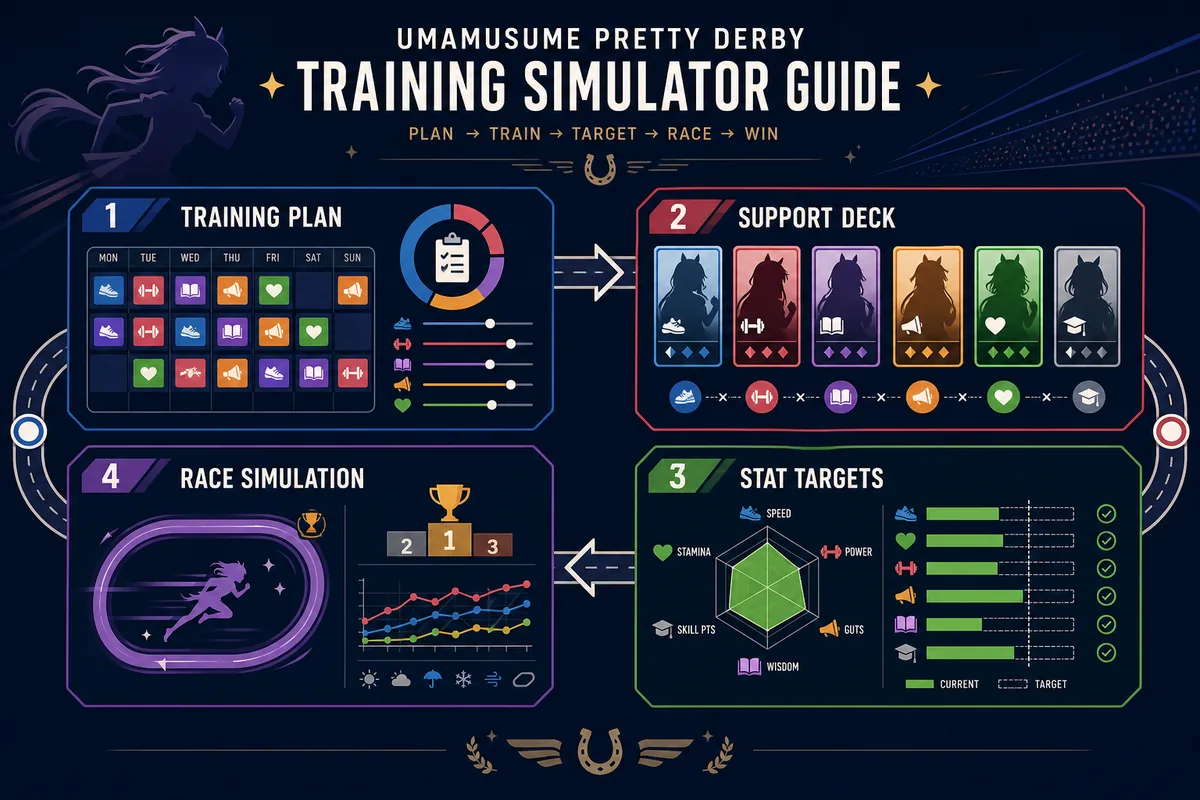
Players search for an Uma training simulator because Umamusume training decisions are connected. A single Speed click can change bond progress, hint timing, fan requirements, mood recovery, and the final race profile. A good plan therefore needs more than a turn counter. It needs a target race, a desired running style, a support deck plan, and a way to test whether the final stats survive the race conditions.
The race simulator on this site handles the last part of that loop. It helps you compare builds after training, while the training plan helps you decide what to chase during the run. Treat these as two halves of one workflow: training creates candidates, simulation filters them, and the next training run adjusts the weak point.
This matters most for Champions Meeting, Team Stadium, and any scenario where a pretty-looking stat screen can still fail because stamina, acceleration timing, or course fit is wrong.
Plan before you click
Write the race distance, running style, stamina floor, and must-have skill family before the run starts. If those targets are unclear, a training simulator can only optimize noise.
Set Stat Targets Before Choosing Trainings
Exact targets depend on scenario, support card pool, character bonuses, track, weather, and skill package. Use the table as a planning frame, then verify stamina and race outcome with the calculators linked below.
| Race focus | Primary stats | Stamina check | Training note |
|---|---|---|---|
| Sprint / Mile | Speed first, then Power and Wit | Lower stamina need, but recovery still matters for bad conditions | Avoid overinvesting in Stamina unless the course or strategy demands it. |
| Medium | Speed plus balanced Power, Wit, and usable Stamina | Check stamina early because medium races punish shallow builds | Plan at least one recovery path or enough stamina buffer before late training. |
| Long | Stamina and Speed together, then Power and Wit | Use a stamina calculator before accepting the build | Long-distance builds often fail because they look fast but cannot finish cleanly. |
| Dirt / niche course | Course aptitude, Power, and acceleration timing | Depends heavily on distance and strategy | Do not copy turf targets without checking aptitude and required skills. |
These are planning ranges, not universal caps. A simulator becomes useful when you compare several realistic builds against the same race condition instead of chasing one perfect number.
Support Deck Priorities for Training Simulation
Before a run, decide what each support card is supposed to solve. Some cards carry raw stat growth, some stabilize hints, some unlock key skills, and some make the early bond curve less painful. A training simulator mindset treats the deck as a set of jobs rather than a pile of rarity.
If the deck cannot produce the final stat shape, no amount of turn-by-turn optimization will save the plan. If the deck can produce the stats but lacks skills, the race simulator may still show weak finish rates.
Growth cards
Cards that push Speed, Stamina, Power, Guts, or Wit toward your target profile. Keep the deck aligned with the race distance.
Skill access
Cards chosen for acceleration, recovery, corner, straight, or strategy-specific hints that the final simulation needs.
Consistency tools
Friend, group, or high-utility cards can smooth mood, energy, bond timing, and failed-turn recovery.
Scenario fit
Some scenarios reward different training clusters. Match your support mix to the scenario mechanics, not only to generic stat advice.
A Practical Turn-by-Turn Training Loop
Use this loop during a run when you want training decisions to support later race simulation instead of reacting to every shiny training tile.
Open with bond and energy discipline
Early turns should build support bond while avoiding unnecessary energy crashes. A slightly weaker training can be correct if it keeps the run stable.
Track the missing stat, not only the biggest gain
A +90 Speed tile is not always best if the build is already Speed-heavy and lacks Stamina, Power, or Wit for the target race.
Take races for a reason
Fan count, scenario requirements, skill points, and scheduling matter. Random extra races can damage training tempo if they do not support the final plan.
Lock skill direction before the final stretch
By late training, decide whether the build needs recovery, acceleration, green skills, or consistency skills. Do not spend skill points only because a hint is discounted.
Export the finished idea into race testing
After the run, enter the final stats, distance, strategy, and skill assumptions into a race simulator. Record which variable caused weak results before starting the next run.
Connect Training Plans to Race Simulation
A training simulator guide is incomplete if it stops at the final stat screen. The purpose of planning is to create a build that can pass a race test. Use one race condition at a time, compare only a few variables, and keep notes so the next training run has a specific goal.
For example, if a long-distance leader keeps losing late, do not immediately chase more Speed. Check stamina, recovery skill timing, strategy fit, and whether Power is limiting position gains before the last spurt.
- Define the target race distance, surface, weather, and running style.
- Enter the final stat profile into the race simulator.
- Check stamina separately when the race is medium or long distance.
- Compare one change at a time: stamina buffer, skill package, Power, or Wit.
- Use the result to adjust the next training plan instead of rewriting the whole deck blindly.
Useful tools for this loop: Stamina Calculator, Race Bonus Calculator, Uma Race Planner.
Common Training Simulation Mistakes
Most failed plans come from treating training and racing as separate problems. Watch for these traps:
- Copying a target without the same deck. A stat target from another player may assume support cards, character bonuses, or scenario routes you do not have.
- Ignoring stamina until the final race. Stamina errors are expensive because they often appear after the build looks otherwise complete.
- Overvaluing one huge training tile. A single large gain can still be wrong if it breaks energy, mood, bond, or the missing-stat plan.
- Testing too many variables at once. If you change stats, skills, and strategy together, the simulator cannot tell you what actually fixed the result.
Useful References and Data Sources
Use these references for mechanics, event lookup, official product context, and support card details. They complement the planning workflow rather than replacing local simulation tests.
- Official Umamusume Pretty Derby site - Official game context, characters, and training-to-race premise.
- Umamusume Pretty Derby on Steam - Official PC store listing and gameplay framing for Global players.
- GameTora Training Event Helper - Community training-event lookup for support card and character event decisions.
- GameTora Support Card List - Support card reference for deck planning and skill access checks.
FAQ
Is an Uma training simulator the same as a race simulator?
No. A training simulator helps plan how to reach a build; a race simulator checks how that build performs. The best workflow uses both.
What should I decide before starting a training run?
Decide the race distance, surface, running style, stamina floor, priority stats, and key skill families. These choices keep training decisions consistent.
Should beginners chase Speed first?
Speed is important, especially for short races, but beginners should not ignore stamina, Power, Wit, aptitude, and recovery skills. The correct balance depends on the race.
How do support cards change the training plan?
Support cards define your realistic stat ceiling, hint access, bond curve, and consistency. A target that works with one deck may be unrealistic with another deck.
When should I run the stamina calculator?
Run it before accepting medium or long-distance builds, and again when changing recovery skills, strategy, weather, or course assumptions.
Can this guide replace in-game testing?
No. It gives a planning workflow. In-game outcomes still depend on scenario mechanics, random events, skill timing, and current game balance.
Can I use an Umamusume training simulator without copying a preset build?
Yes. Start from race distance, running style, support deck, and a realistic stat ceiling. Use presets as comparison points, adjust one target at a time, and validate the finished build in the race simulator.